Import disk
On the Proxmox host shell. Replace 100 with your VMID and set STORAGE
from What you need.
Import and attach
STORAGE=local-zfs
qm set 100 \
  --scsi0 ${STORAGE}:0,import-from=/var/lib/vz/template/haos_ova-18.5.qcow2,discard=on,ssd=1 \
  --boot order=scsi0
update VM 100: -boot order=scsi0 -scsi0 local-zfs:0,import-from=…
transferred … of 32.0 GiB (100.00%)
scsi0: successfully created disk 'local-zfs:vm-100-disk-1,discard=on,size=32G,ssd=1'
STORAGE=local-lvm
qm set 100 \
  --scsi0 ${STORAGE}:0,import-from=/var/lib/vz/template/haos_ova-18.5.qcow2,discard=on,ssd=1 \
  --boot order=scsi0
update VM 100: -boot order=scsi0 -scsi0 local-lvm:0,import-from=…
transferred … of 32.0 GiB (100.00%)
scsi0: successfully created disk 'local-lvm:vm-100-disk-1,discard=on,size=32G,ssd=1'
Prove the config
qm config 100
agent: enabled=1
bios: ovmf
boot: order=scsi0
cores: 2
cpu: host
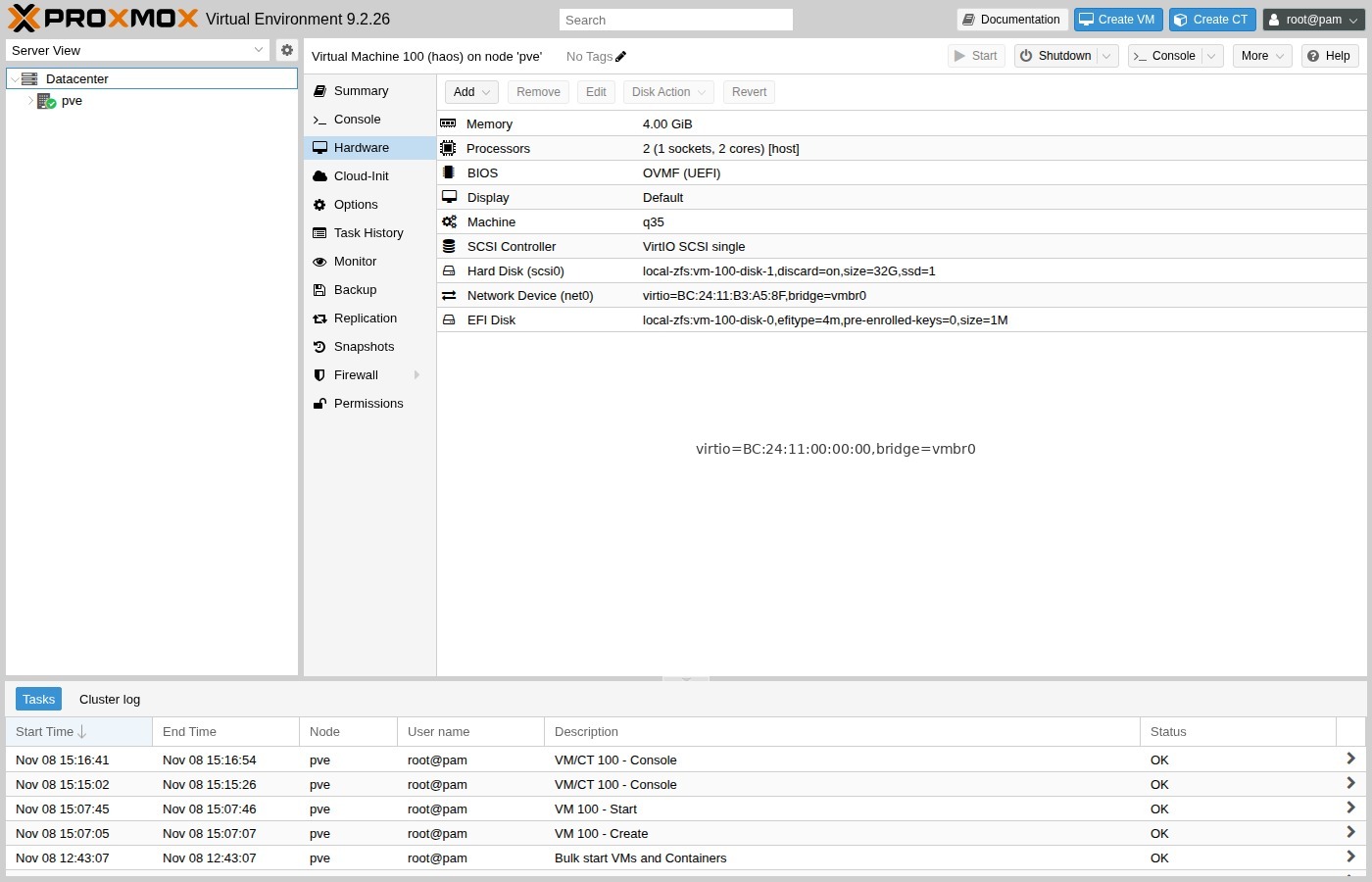
efidisk0: local-zfs:vm-100-disk-0,efitype=4m,pre-enrolled-keys=0,size=1M
machine: q35
memory: 4096
name: haos
net0: virtio=…,bridge=vmbr0
onboot: 1
scsi0: local-zfs:vm-100-disk-1,discard=on,size=32G,ssd=1
scsihw: virtio-scsi-single
Confirm bios: ovmf, pre-enrolled-keys=0, boot: order=scsi0, and
scsi0 on your storage.
Grow later
The image is 32 GB. You can enlarge it later under Hardware → Disk → Resize Disk; HAOS expands its data partition on the next boot.
Clean up the template files
After a successful import:
rm -f /var/lib/vz/template/haos_ova-18.5.qcow2 \
      /var/lib/vz/template/haos_ova-18.5.qcow2.xz